
What is an Operating System?
An operating system is a software that communicates with computer hardware and other software programs. All computers, tablets, and smartphones have an operating system.
Why is it important to run an up-to-date Operating System?
Computers are constantly under attack by malicious actors such as hackers, viruses or malicious software. Running an out-of-date operating system poses a serious threat because it gives malicious actors an opportunity to exploit the vulnerabilities (weakness) in an unpatched operating system. An out-of-date operating system may also prevent legitimate software such as Antivirus from working properly. With the constant threat of computer attacks, the first line of defense is to run an up-to-date operating system.
To fix bugs or vulnerabilities in an operating system, vendors release fixes in the form of system updates and/or patches. The fixes include necessary changes to keep a system secure and to allow for safe operations.
How to check if your operating system is up-to-date and running the latest version?
Please refer to your operating system vendor documentation, vendor website, or contact our IT Help Center.
What should I do if my operating system isn’t on the maintained list?
First, you should check with your vendor or support community to see if your operating system is supported. If they continue to release patches, that means your operating system is still supported by the vendor. Make sure your computer has the latest updates installed. If your operating system is unsupported, you should upgrade to a newer supported operating system. Contact our IT Help Center if your operating system is not on the Operating System Maintained List.
What about mobile devices?
Just like computers, mobile devices such as phones and tablets should run supported operating systems. Unfortunately, it is much more difficult to upgrade the software on these devices due to hardware limitations or carrier/manufacturer customization. Often, the only way to upgrade to a current version of the operating system is to purchase a new device.
For Apple products, verify that you are using an Apple device that is running the most current iOS version. Upgrade all devices that can support the latest iOS version. You should discontinue using any device that cannot support the latest iOS version.
Android and Windows mobile devices have a list of current versions on their respective web pages. Update your devices if you do not have the latest available version installed. If your mobile device is no longer receiving updates from the vendor, then you should consider upgrading or purchase a new device that is supported by the vendor. In the event of major security updates for such a system, users may be advised to immediately discontinue use of any device that is not on the most current version.
Get A Quote
Make A
Free Consultant
Latest Articles
See our latest
blog posts
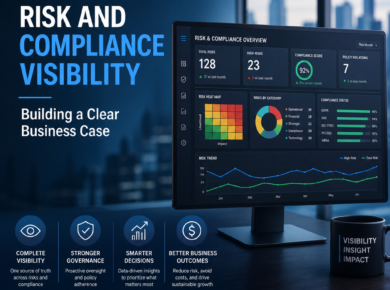
The Business Case for Centralized Risk and Compliance Visibility Executives increasingly receive more compliance reports, dashboards, and
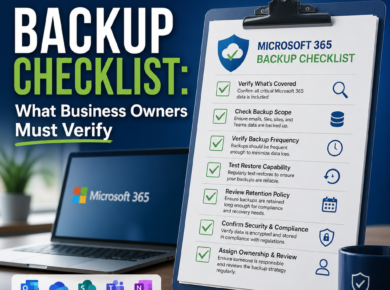
Microsoft 365 Backup: What Business Owners Should Verify Many small and mid-sized businesses assume that because email,
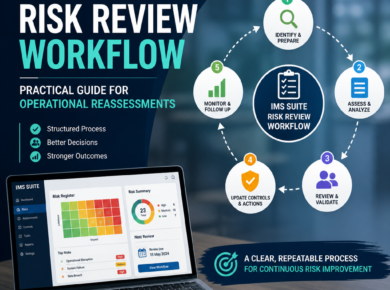
IMS Suite Risk Management: A Practical Risk Review Workflow Operational risk registers are necessary but not sufficient.

How to build a risk register that teams actually use starts with one simple idea: the register

This guide explains Ransomware Recovery Testing For Small Businesses with practical details and clear takeaways. A backup

Knowing when to move beyond shared folders for compliance is less about company size and more about

This guide explains Microsoft 365 Mfa Rollout Plan For Smes with practical details and clear takeaways. A

A procedure revision can look simple on paper: one owner updates a document, a reviewer checks it,

Document Control: How to Keep Policies and Procedures Under Control Document control is not a filing exercise.

Small business phishing defense checklist 2026 is not just about spotting bad spelling anymore. In 2026, phishing


